How to back up Xero: the complete guide (2026)
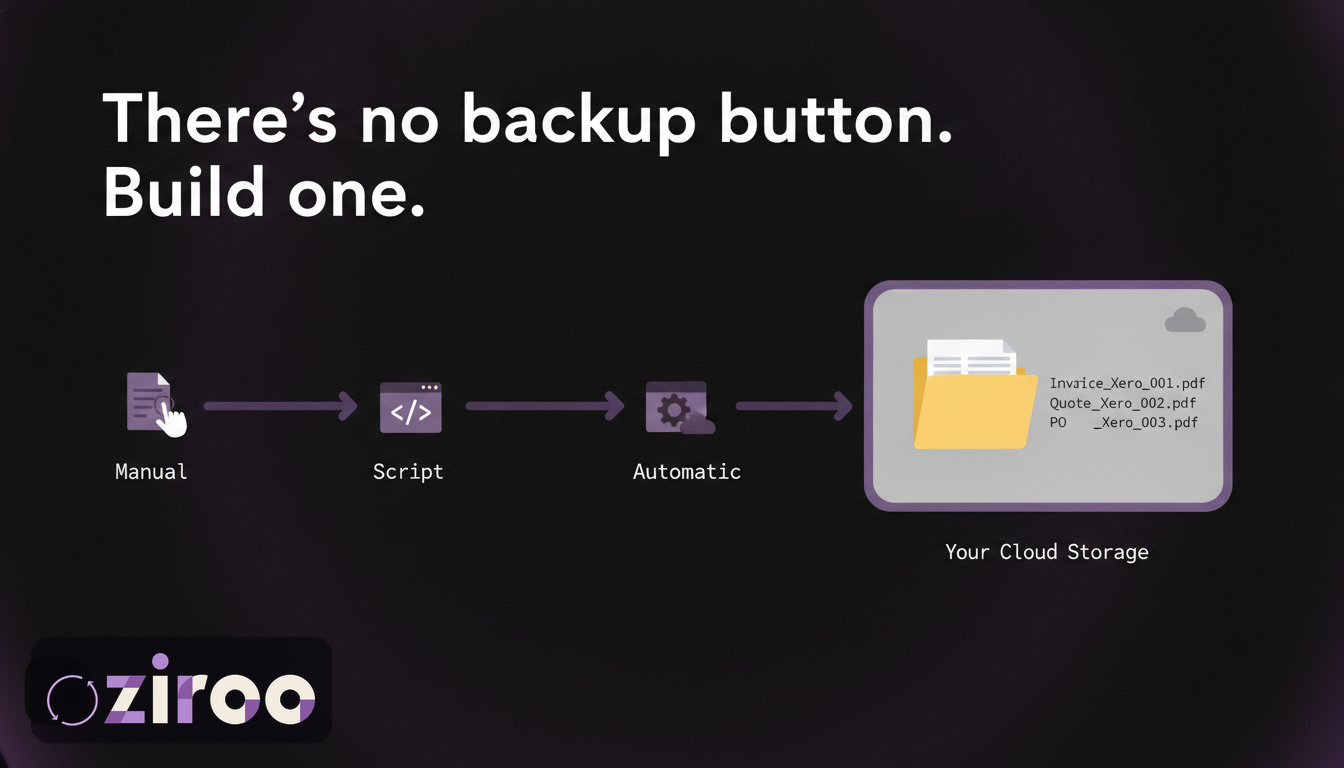
Somewhere in Xero's terms of use, in a section most subscribers have never opened, there's a sentence that makes this guide necessary: "You're responsible for maintaining copies of your data entered into our services." Xero doesn't have a backup button, doesn't offer a scheduled export, and doesn't promise to recover your data if something goes wrong. It tells you, in the contract, to keep your own copies.
This guide covers how to actually do that. Every method that exists, what each one costs you in time or money, what to back up, how often, and how long to keep it. It's written for Australian small businesses and the bookkeepers who look after them, though most of it applies anywhere.
The short version, if you're in a hurry: you can back up Xero manually through its export screens (free, laborious, easy to forget), programmatically through the Xero API (thorough, needs a developer), or automatically through a backup service (set and forget, costs money). Whichever you choose, the ATO expects your records kept for at least five years, and a backup you can't read without a working Xero login isn't really a backup at all.
What "backing up Xero" actually means
Cloud accounting created a comfortable illusion: the data lives somewhere professional, so the copies must be someone else's job. Xero's terms make clear whose job it is, and once you accept that, the next question is what a real backup looks like. Four requirements, none optional:
Documents and data, both. A CSV of invoice numbers is data. The invoice your customer received, with your branding and line items, is a document. Auditors, insurers, lenders, and the ATO ask to see documents. Analysis needs data. Keep both.
Storage you control. Your own Google Drive, Dropbox, OneDrive, or server. A copy that lives inside another vendor's platform trades one subscription dependency for two.
Kept current. Records go stale the day after the export. A backup routine that runs "when someone remembers" produces an archive with holes exactly where the awkward questions land. Daily is ideal; monthly is the floor.
Readable without the platform. The test that settles every debate about whether something counts as a backup: if your Xero login stopped working today, could you open yesterday's invoices? Plain PDFs and CSVs in your own storage pass. Anything that needs a login to render doesn't.
What Xero gives you out of the box
Less than most people assume. Xero runs serious infrastructure, replicates data between data centres, and keeps internal backups for its own recovery, but none of that is accessible to you. On the customer side of the glass, the product offers:
- Per-invoice PDF printing, one document at a time
- Batch printing, which merges every selected invoice into a single combined PDF
- CSV and spreadsheet exports of transaction data (no documents)
- Report exports (profit and loss, balance sheet, general ledger and others) as PDF or spreadsheet, run manually
- The Xero API, for those who write code
No scheduled anything. No restore button. No "download my organisation" option. Whatever backup routine you end up with, you'll be building it from those parts or paying someone who has.
How Xero data actually gets lost
"The cloud is reliable" and "my records are safe" sound like the same sentence. They aren't, because most data loss has nothing to do with the platform failing:
Human error. The most common cause by a distance. An invoice voided instead of edited, a contact merged wrongly, an organisation cleaned up by a well-meaning staff member. Xero has no customer-facing rollback, so a mistake discovered late is a mistake you keep.
Connected apps. Every app you've granted write access can modify your books. Most behave. A misconfigured sync or a buggy integration doesn't, and it works fast.
Access loss. Business partnerships split, and suddenly two people dispute who owns the subscription. A card expires, the subscription lapses, and section 52 of Xero's terms applies: the data is archived and "no longer available to you." No data was destroyed. You still can't read it.
Platform incidents. The rarest category, but during an outage the distinction between "your data exists" and "you can open your data" stops being philosophical. Ask anyone who's had customers at the counter while the login page spun.
Disasters at your end. Fire, flood, and stolen laptops used to destroy paper records. Now they destroy the one machine that held your only exports. Copies in cloud storage you control survive all three.
A good backup answers every scenario on this list. That's the standard the rest of this guide builds toward.
What to back up, and how long to keep it
The tempting answer is "everything," but a useful backup policy names its contents. For a typical Australian small business:
The documents. Invoices, quotes, and purchase orders as individual PDFs, in the form they were issued. These are what get requested by name during audits and disputes. Credit notes too, if you issue them.
The transaction data. CSV exports of sales and purchases. This is what your accountant rebuilds from if the worst happens, and what you'll analyse when you want answers fast.
The reports. A monthly or quarterly export of profit and loss, balance sheet, and general ledger gives you point-in-time financial statements that don't depend on any platform recalculating them later.
The supporting records. Receipts and bills you've attached inside Xero deserve special attention, because attachments are among the hardest things to get back out in bulk.
Retention: the ATO's baseline is five years, counted from when the record was prepared or obtained, or the transaction completed, whichever is later, and records must stay accessible and readable the whole time. Failing to keep them can attract penalties measured in the thousands of dollars. Five years is the floor, not the target; storage is cheap and old records have a habit of becoming relevant.
Method 1: Manual exports
The free option. Xero's export screens will give you everything above if you're willing to click for it. We've documented every manual route for invoices in detail; the summary:
- Export transaction data as CSV from the sales and purchases screens, filtered by date
- Print invoices to PDF individually, or accept the merged batch PDF and split it later
- Run and export each report you want preserved
- Upload everything to your own cloud storage, named and foldered so a stranger could navigate it
Budget an hour or two per month for a small operation, more if you want individual PDFs rather than the merged batch file. The hours are the visible cost. The bigger one: the routine depends on a human remembering, and the months that get skipped are never the quiet ones. Manual works for businesses with light volume, one organisation, and genuine discipline. Be honest about the discipline part.
Method 2: Scripts against the Xero API
The Xero API can produce what the export screens can't: every invoice as its own PDF, on a schedule, with no clicking. Rate limits are 60 calls a minute and 5,000 a day per organisation, which is ample for a nightly sync of most small businesses.
The build is quick; a competent developer will have a working script in a day or two. Owning it is the long half. The script needs a registered OAuth app, token refresh handling, retries, storage, logging, and a human who notices when it stops working, because a backup script that died silently in March is discovered in September, during exactly the conversation you built it to avoid.
If you have engineers on staff and unusual requirements, the API route is legitimate and flexible. If you're a florist, it's a strange hobby to acquire.
Method 3: Automated backup services
The category exists because the first two methods fail in predictable ways: manual routines get skipped, scripts get orphaned. A backup service takes a read-only connection to your Xero organisation and delivers copies on a schedule without anyone remembering anything.
Services differ more than their landing pages suggest. Five questions sort them quickly:
- Documents or just data? Some services back up transaction data for restore purposes but never produce the invoice PDFs an auditor wants to see.
- Whose storage? If the backup lives inside the vendor's platform, you've bought a second subscription to be dependent on. Delivery to your own storage is the difference between owning and renting your archive.
- Readable without the vendor? Plain files (PDF, CSV) beat proprietary formats every time the vendor has a bad year.
- Read-only access? A backup tool has no business holding write permissions to your books.
- What happens when you leave? The right answer is "nothing, the files are already yours."
Ziroo is our answer to those five questions. Every morning it delivers the invoices, quotes, and purchase orders created or updated in the last 24 hours as individual PDFs plus a CSV manifest, to your inbox and to your own Dropbox, Google Drive, or OneDrive. The connection is read-only, the files are plain, and if you cancel, the archive stays where it always was: in your storage. Pricing starts at AUD $15 a month.
Ziroo is in early access. Add me to the waiting list and you'll get access as spots open.
For the two most popular destinations we've written step-by-step versions of all three methods: backing up Xero to Google Drive and backing up Xero to Dropbox, each with a folder structure you can copy.
The three methods side by side
| Manual exports | API script | Backup service | |
|---|---|---|---|
| Cost | Free (your time) | Developer time, ongoing | From ~$15/mo |
| Individual invoice PDFs | Painful at volume | Yes | Yes (varies by service) |
| Runs without a human | No | Mostly | Yes |
| Fails how | Forgotten | Silently breaks | Vendor risk (pick well) |
| Right for | Light volume, high discipline | Engineering teams | Everyone else |
A backup policy you can adopt this week
Written policies get followed; intentions don't. Steal this one:
- Daily: invoices, quotes, and purchase orders as PDFs plus a CSV manifest, delivered to storage you own (automated, or manual if you truly will)
- Monthly: export profit and loss, balance sheet, and general ledger; file them by month
- Quarterly: open a random handful of archived PDFs and confirm they're readable and complete. A backup nobody has ever opened is a hope, not a backup
- Retention: keep everything at least five years; don't prune what costs cents to store
- Before cancelling anything (Xero, storage, or a backup service): confirm the archive is intact and in your control first
Five backup mistakes that feel like backups
Each of these passes as "we're covered" in a planning meeting and fails in the moment that matters:
The one-off export. An export from last financial year is an archive of last financial year. It says nothing about the invoice you issued on Tuesday. Backups are a schedule, not an event.
A copy inside someone else's platform. If your backup tool keeps your archive in its own system, readable only through its own login, you haven't removed the dependency problem. You've duplicated it.
Counting your accountant's access as your copy. Your accountant can see your Xero organisation because you granted access, which is not the same as holding copies. Their engagement can end, and their obligations to keep files are theirs, serving their compliance, not yours.
Assuming someone can reconstruct it. Banks hold statements, customers hold their copies of some invoices, the ATO holds what you lodged. Fragments, all of it. Nobody but you holds your books.
Never opening the files. The backup that's never been test-read is a hope with a folder name. Open a few files each quarter; it takes five minutes and converts the hope into evidence.
For bookkeepers and accountants
Every cost in this guide multiplies by your client count, and one risk is yours alone: when a client disengages, your access to their organisation usually ends with the engagement, while questions about their records keep arriving for years. A standing archive per client, in storage you or the client controls, is the difference between "attached is the invoice" and an awkward email. Ziroo's Archive plan covers 3 organisations and Vault covers 10 for exactly this reason.
The habit beats the heroics
Nobody backs up Xero because it's fun. You do it so that outages, cancellations, audits, and disasters get met with a shrug and a folder instead of a scramble. Pick the method that matches your honesty about your own discipline, write the policy down, and let it run.
Add me to the waiting list and the daily half of that policy is handled by tomorrow morning.
References to Xero's terms of use are to the Australian edition, last updated 11 February 2025, viewed July 2026. This article is general information, not legal, tax, or accounting advice. Ziroo is an independent archive service and is not affiliated with, endorsed by, or sponsored by Xero Limited.
Frequently asked questions
How do I back up my Xero data?
Three ways: manually export CSVs, reports, and invoice PDFs from Xero's screens and store them yourself; run a custom script against the Xero API; or use an automated backup service that delivers copies to your own storage on a schedule. Xero has no built-in backup or scheduled export feature, and its terms of use make maintaining copies your responsibility.
How often should I back up Xero?
Daily for documents (invoices, quotes, purchase orders), monthly for financial reports. The right frequency is the one that bounds your maximum loss: a daily backup means never losing more than a day. Whatever the schedule, it only counts if it runs without anyone remembering it.
Does Xero have a backup feature?
No. Xero maintains internal backups for its own platform recovery, but offers customers no backup button, no scheduled export, and no self-service restore. Customer-side options are limited to manual exports, the Xero API, and third-party backup services.
What's the best way to back up Xero in Australia?
One that meets ATO requirements: records kept at least five years, accessible and readable the whole time. In practice that means invoice PDFs and transaction CSVs delivered regularly to storage you control, such as your own Google Drive, Dropbox, or OneDrive. Automated daily delivery removes the failure mode of someone forgetting.
Prefer an automatic daily archive?
Ziroo delivers invoices, quotes, and purchase orders as PDFs plus a CSV manifest to your inbox and cloud storage every morning.
Ziroo is an independent archive service and is not affiliated with, endorsed by, or sponsored by Xero Limited.