How to back up Xero to Google Drive (3 ways)
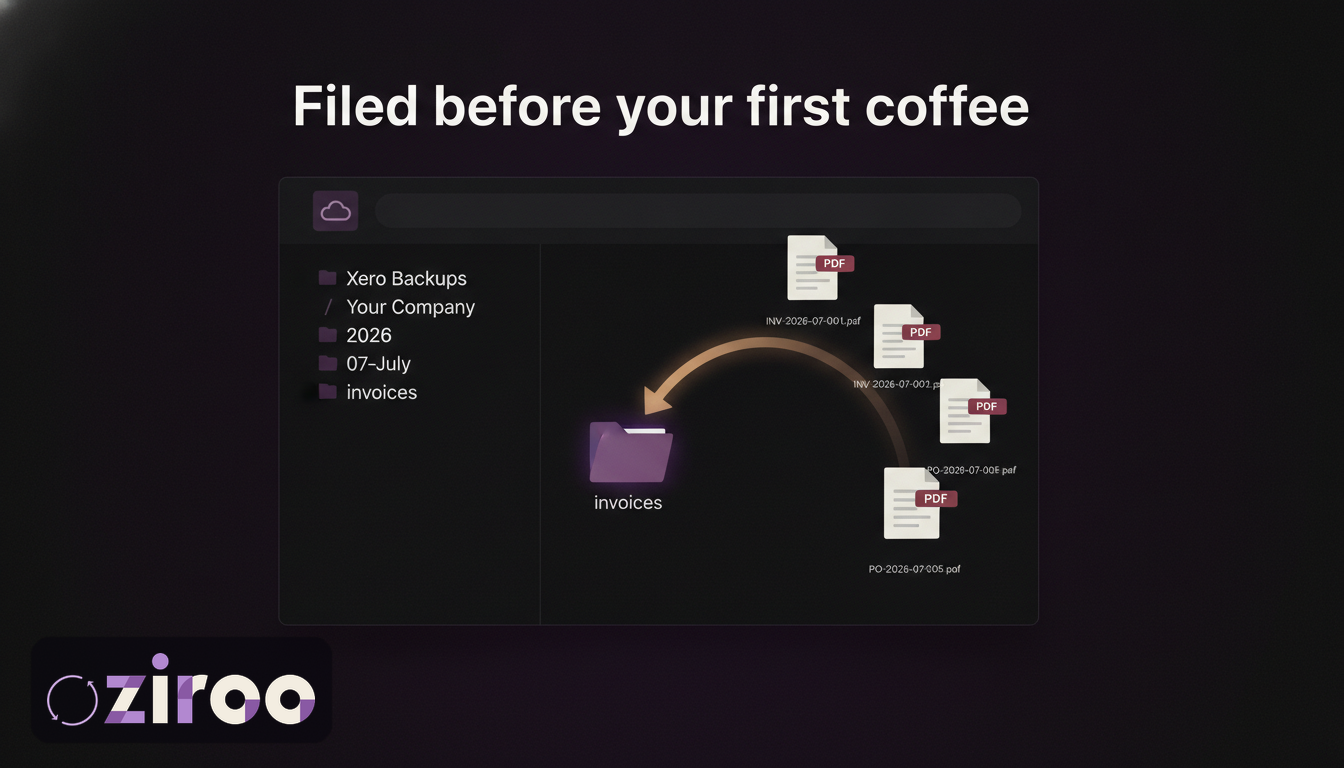
It's the last week of the quarter and your accountant sends the familiar email: "Can you drop the invoices and reports into the shared Drive folder before Friday?" So begins the ritual. Log into Xero, export, download, rename, upload, repeat, and wonder, again, why software that runs your entire business can't put files in a folder.
It can't, at least not by itself. Xero has no native backup to Google Drive, no scheduled export, and no integration that delivers your documents anywhere on its own. But there are three working routes to get your Xero records into Drive, and one of them doesn't need you at all.
Why Google Drive is a good home for Xero backups
Before the how, a quick why. Google Drive checks the boxes that matter for financial records:
- You control the account. The archive doesn't depend on Xero's subscription or anyone else's platform staying friendly.
- It satisfies the ATO's format rules. Digital records are fine, provided they stay accessible and readable for at least five years. PDFs and CSVs in Drive qualify.
- Sharing is permissions, not email. Give your accountant view access to one folder and the quarterly attachment shuffle ends.
- It survives your hardware. The laptop that dies takes nothing with it.
One caution: Drive is storage, not a routine. An empty, well-organised folder backs up nothing. The three methods below are really three answers to "what fills the folder, and how reliably?"
Method 1: Export from Xero and upload by hand
The free route, and a fine one if your volume is light and your discipline is real.
- Export the data. From Xero's sales and purchases screens, filter by date and download the CSV.
- Get the documents. Print invoices to PDF one at a time, or take the merged batch PDF and split it. (Both routes, and their catches, are covered in how to export Xero invoices to PDF.)
- Run the reports. Profit and loss, balance sheet, general ledger; export each as PDF.
- Upload to Drive into a structure a stranger could navigate.
- Diarise the next one. The export is a snapshot; the value is the series.
A folder structure worth stealing:
Xero Backups/
  Your Company Pty Ltd/
    2026/
      07-July/
        invoices/
        quotes/
        purchase-orders/
        reports/
        manifest.csv
Month folders keep BAS quarters easy to assemble, and the manifest CSV (the data export) sits beside the documents it describes. Expect an hour or two per month. The failure mode shows up around month seven, when things get busy, never in month one.
Your first backup: deal with the backlog
Starting a routine today protects today onwards, which leaves everything before today unprotected. Worth one afternoon: run a catch-up export for at least the current financial year (invoices, the CSV, and the standard reports), file it under the structure above, and then let the ongoing routine take over. If you've been on Xero for years, work backwards a financial year at a time until you've covered the five-year ATO window. The backlog job is tedious precisely once; skipping it means your archive has a cliff at the exact date you got organised.
Method 2: A script against two APIs
For the technically inclined: the Xero API can hand you each invoice as a PDF, and the Google Drive API can file it. Between them sits everything else: OAuth apps registered on both sides, token refresh, Xero's rate limits of 60 calls a minute and 5,000 a day, retry logic, a scheduler to run it nightly, and monitoring so that a silent failure in March doesn't surface during an audit in September.
A competent developer will get this working in a few days. Whether it keeps working is a question about your team, not the code. If you have engineers and specific requirements (unusual folder logic, extra document types, a data warehouse to feed), this is a genuinely good route. If you don't, you'd be taking up infrastructure ownership as a side quest.
Method 3: Automatic daily delivery
Ziroo connects to your Xero organisation read-only and to your Google Drive once, then delivers every morning: the invoices, quotes, and purchase orders created or updated in the last 24 hours as individual PDFs, plus a CSV manifest, filed straight into your Drive. A copy lands in your inbox as well, so the archive exists in two places you control before your first coffee.
No export ritual, no script to babysit. The files are plain PDFs and CSVs, readable with no Xero seat and no Ziroo login, and if you ever cancel, everything already delivered stays exactly where it is: in your Drive. Pricing starts at AUD $15 a month with a 7-day trial at launch.
Ziroo is in early access. Add me to the waiting list and you'll get access as spots open.
Three Drive housekeeping rules for financial records
Own the account that owns the folder. The backup belongs in the business owner's account or, on Google Workspace, in a shared drive owned by the organisation. A surprising number of businesses discover their records live in a former employee's personal Gmail, which is a resignation away from being nobody's records.
Don't fret about storage. Invoice PDFs run a couple of hundred kilobytes each. Years of documents for a typical small business fit comfortably inside even a free Google account, so quota is almost never a reason to prune the archive.
Secure it like it's your books, because it is. Strong password, two-factor authentication, and current recovery options on the account. The folder now holds everything an auditor would ask for; treat the login accordingly.
Set it up once for your accountant too
Whichever method fills the folder, share it properly: give your accountant or bookkeeper view-only access to the top-level backup folder in Drive. From then on, quarter-end is "it's all in the folder" instead of a week of attachment tennis. If you use Ziroo, the morning delivery means the folder is already current on the day they ask.
The folder is waiting
Your accountant already likes Google Drive. The ATO has no problem with it. The missing piece has always been the routine that fills the folder without anyone remembering, and that's now a solved problem.
Add me to the waiting list and tomorrow's invoices file themselves.
This article is general information, not legal, tax, or accounting advice. Ziroo is an independent archive service and is not affiliated with, endorsed by, or sponsored by Xero Limited or Google.
Frequently asked questions
Does Xero integrate with Google Drive for backups?
No. Xero has no native Google Drive backup or scheduled export. Getting Xero records into Drive requires exporting manually, building a script against the Xero and Google Drive APIs, or using a third-party service such as Ziroo that delivers documents to Drive automatically.
Is Google Drive suitable for storing financial records in Australia?
Yes. The ATO accepts digital records provided they remain accessible and readable for the full retention period, generally at least five years. PDFs and CSVs stored in a Google account you control meet that standard. Protect the account with a strong password and two-factor authentication, since it now holds your books.
Can I automate Xero exports to Google Drive?
Not with Xero alone. Automation requires either a custom script (Xero API to fetch documents, Google Drive API to store them, plus scheduling and monitoring) or an automated service. Ziroo delivers invoices, quotes, and purchase orders to Google Drive daily as individual PDFs with a CSV manifest, over a read-only Xero connection.
What if my business runs on Dropbox instead?
Same three routes, different destination. We've written the Dropbox version of this guide, including a financial-year folder structure and the Dropbox-specific advantages (local sync gives you offline copies automatically). Ziroo delivers to Dropbox and OneDrive as well as Google Drive.
Prefer an automatic daily archive?
Ziroo delivers invoices, quotes, and purchase orders as PDFs plus a CSV manifest to your inbox and cloud storage every morning.
Ziroo is an independent archive service and is not affiliated with, endorsed by, or sponsored by Xero Limited.